Multilogin proxy with LightningBytes
Run multiple accounts in Multilogin with clean IPs that stay consistent across sessions LightningBytes residential and mobile proxies support both HTTP and SOCKS5, so you can scale safely
What is Multilogin?
Multilogin is an anti-detect browser that lets you manage multiple accounts in separate, fully isolated browser profiles. Each profile runs with its own fingerprint, cookies, and IP address, making accounts appear as real, independent users.
It’s built for scale, allowing teams to run dozens or hundreds of profiles from one dashboard. With automation support and flexible team access, Multilogin is widely used for traffic arbitrage, e-commerce, social media management, and data collection.
- Custom proxy configuration
- 30M+ residential IPs pool
- 24/7 expert support
How to use LightningBytes proxies with Multilogin
Follow the steps below to route Multilogin through your LightningBytes residential or mobile proxies.
- 1
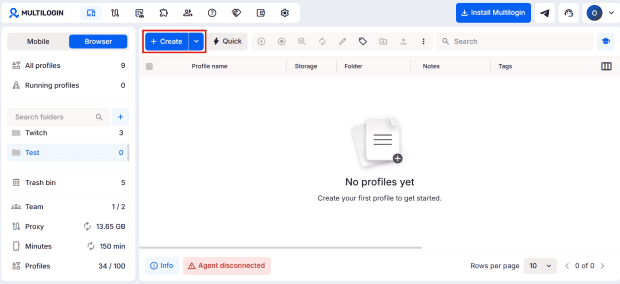
Create a new browser profile
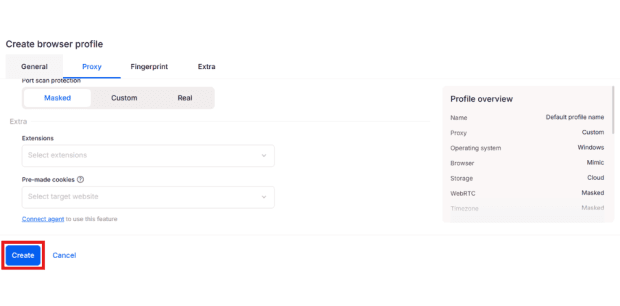
Open Multilogin and click Create to add a new browser profile
- 2
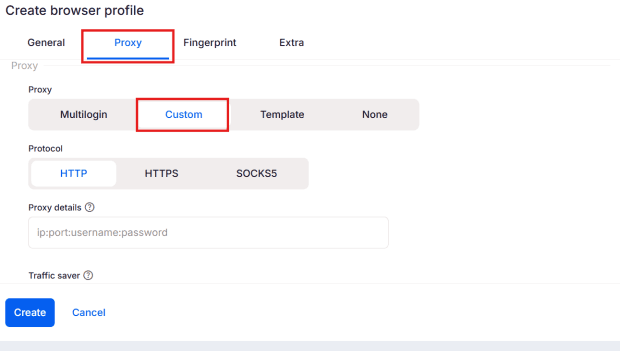
Open proxy settings
Go to the Proxy tab and select Custom
- 3
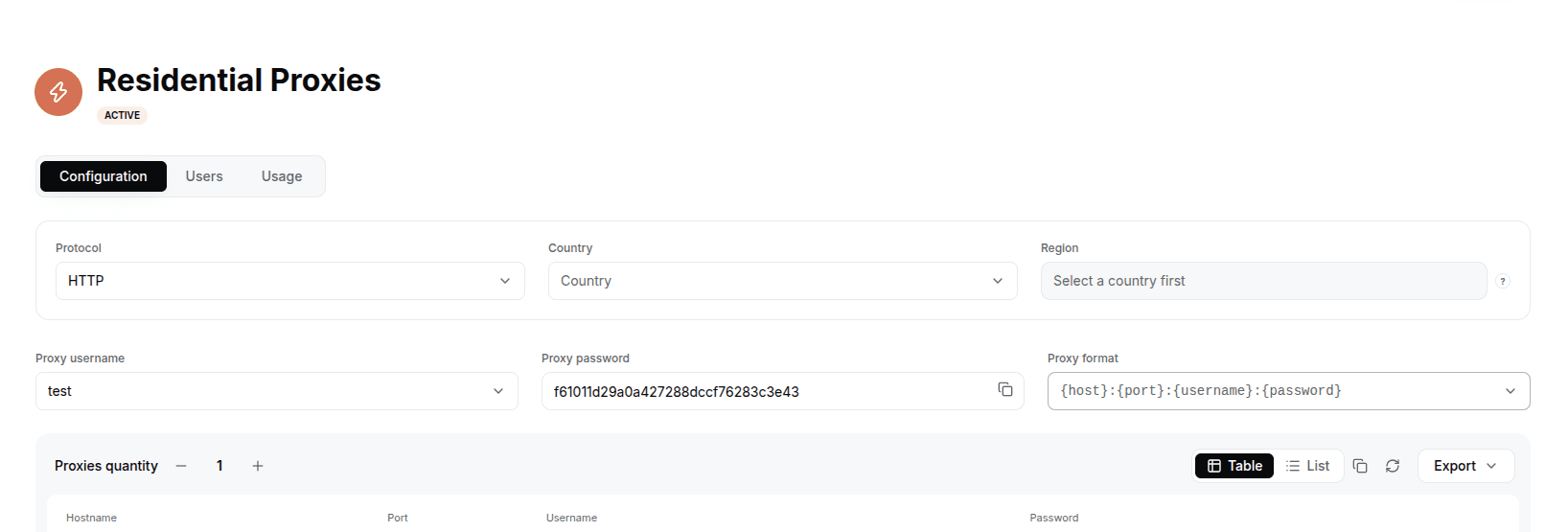
Get your proxy credentials from LightningBytes
In the LightningBytes dashboard, open your Residential or Mobile proxies page and go to the Proxy tab. Copy:
• Proxy username
• Proxy password
• Host
• Port
- 4
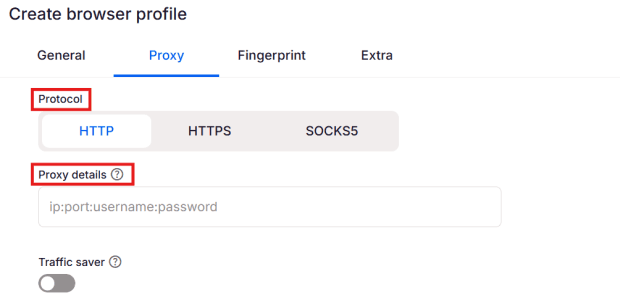
Select protocol and enter proxy details
Choose a protocol:
• HTTP or SOCKS5
Then paste your proxy in this format:ip:port:username:password
- 5
Create the profile
Click Create to launch your profile with the assigned Multilogin proxy
Connect Multilogin to clean, filtered IPs
Residential IPs for scraping e-commerce data at scale, mobile carrier IPs for the hardest targets, on pay-as-you-go or subscription plans with HTTP(S) and SOCKS5.