AdsPower proxy with LightningBytes
Integrate LightningBytes proxies with AdsPower to run multiple accounts with stable IP sessions, flexible targeting, and consistent performance
What is AdsPower?
The AdsPower anti-detect browser is a specialized web tool designed to protect your online identity and privacy by masking your real digital footprint. This advanced browser makes it difficult for websites and third parties to track or identify you, ensuring a higher level of anonymity online. Whether you’re managing multiple accounts, running online campaigns, or performing web scraping, AdsPower is invaluable for maintaining privacy, enhancing security, and conducting a wide range of online activities safely and efficiently.
- Ethically sourced IPs
- Residential & mobile proxies
- 24/7 expert support
How to use LightningBytes proxies with AdsPower
Follow the steps below to route AdsPower through your LightningBytes residential or mobile proxies.
- 1
Create a new browser profile
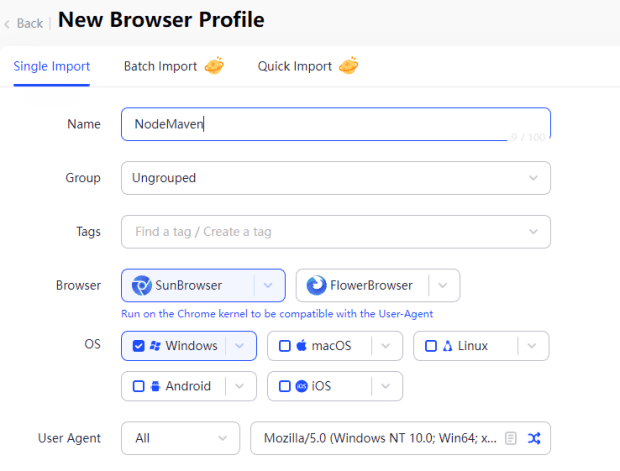
To begin using our proxies in AdsPower, you should start by clicking the “New profile” button
- 2
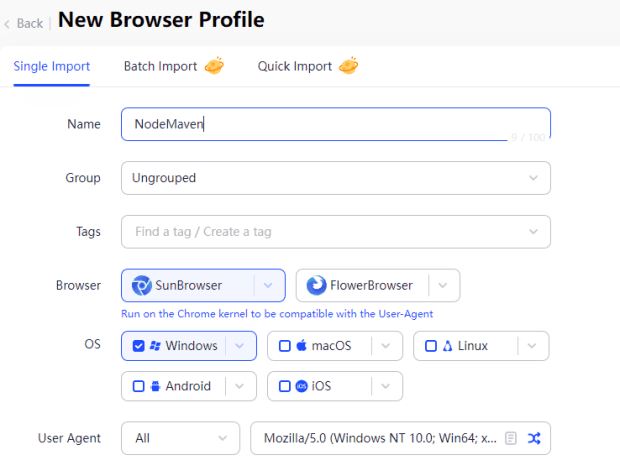
Set the browser profile name
Next, set the browser profile name. For the Browser, you can choose more options by simply clicking the “dropdown button” beside the SunBrowser/FlowerBrowser.
- 3
Select proxy protocol
Then scroll a bit down, then select “HTTP” or SOCKS5 in the Proxy type, and set the proxy manually
- 4
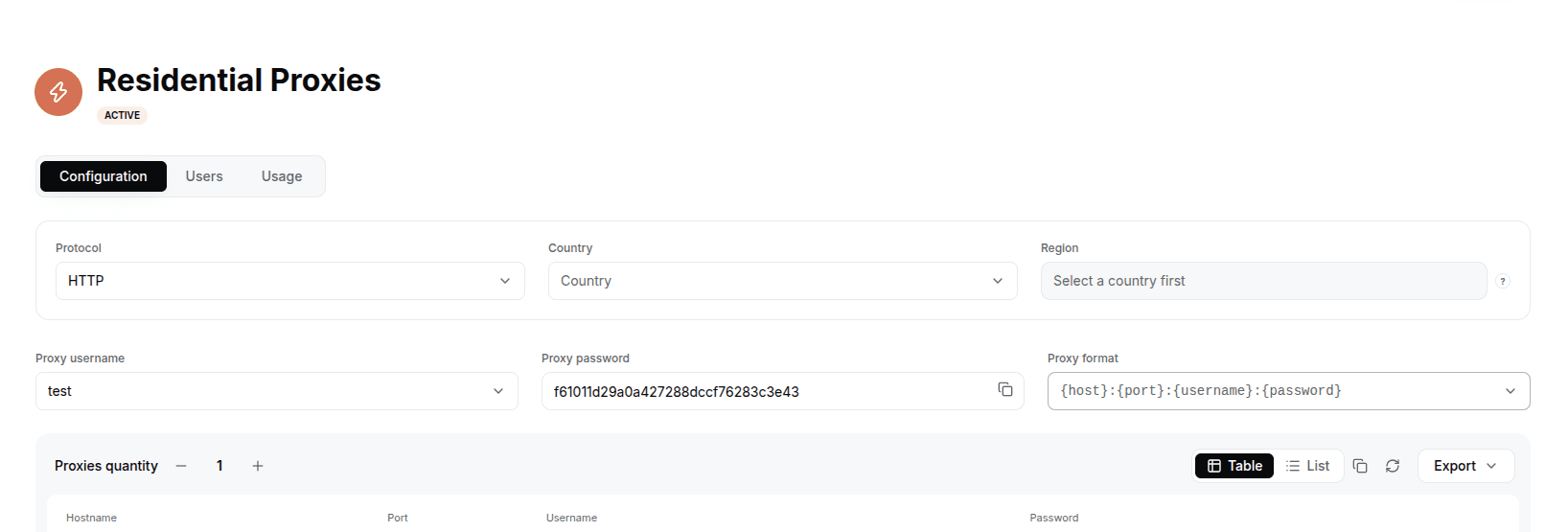
Generate your LightningBytes proxy
In the LightningBytes dashboard, open your Residential or Mobile proxies page and go to the Proxy tab. Choose the protocol (HTTP or SOCKS5), set the country and region if you need targeting, and select the proxy user. Copy the generated endpoint, host:port:username:password by default, or pick a different format from the Proxy format dropdown. AdsPower takes the host, port, username and password as separate fields, keep the Proxy format dropdown on host:port:username:password and copy each value.
- 5
Paste the proxy into AdsPower
Enter the copied host, port, username and password in the AdsPower proxy fields, then save the profile.
Connect AdsPower to clean, filtered IPs
Residential IPs for scraping e-commerce data at scale, mobile carrier IPs for the hardest targets, on pay-as-you-go or subscription plans with HTTP(S) and SOCKS5.