Undetectable proxy with LightningBytes
Set up LightningBytes proxies with Undetectable Browser in minutes. Use residential and mobile IPs with HTTP and SOCKS5 support for stable profiles and consistent performance
What is Undetectable?
Undetectable Browser is a powerful anti-detect tool built for secure, anonymous browsing. Perfect for managing multiple accounts, it lets users create unique browser profiles that mimic different device fingerprints, making each one appear completely distinct to websites and platforms.
- Ethically sourced IPs
- Residential & mobile proxies
- 24/7 expert support
How to use LightningBytes proxies with Undetectable
Follow the steps below to route Undetectable through your LightningBytes residential or mobile proxies.
- 1
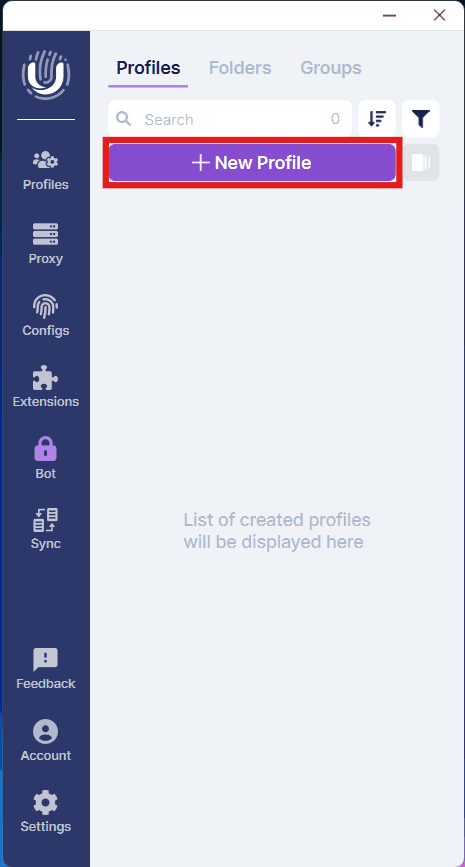
Create a new profile
Click the New Profile button at the top if the screen
- 2
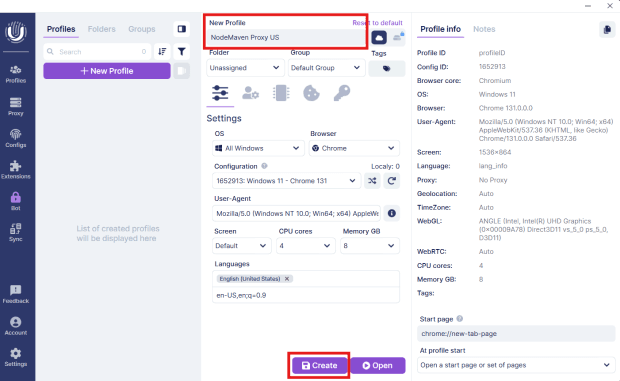
Name the profile
Next, the window will expand. Fill in the name of your profile and select a group if you decide to group your profiles. Click the Create button at the bottom of the page
- 3
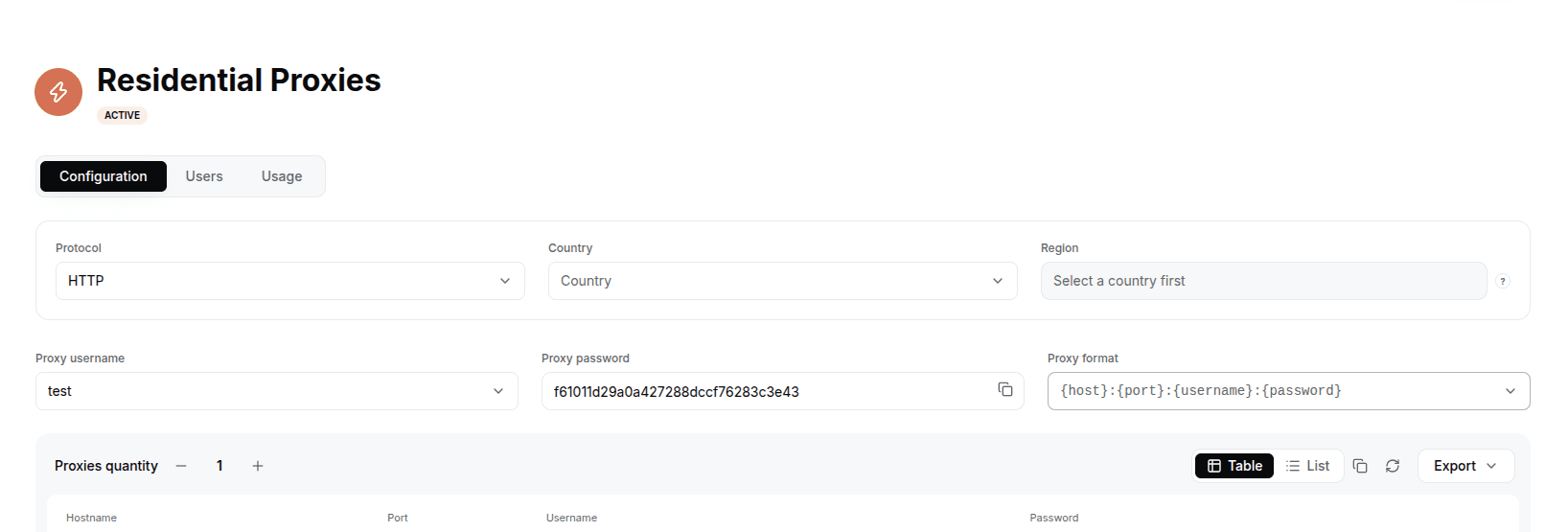
Generate your LightningBytes proxy
In the LightningBytes dashboard, open your Residential or Mobile proxies page and go to the Proxy tab. Choose the protocol (HTTP or SOCKS5), set the country and region if you need targeting, and select the proxy user. Copy the generated endpoint, host:port:username:password by default, or pick a different format from the Proxy format dropdown.
- 4
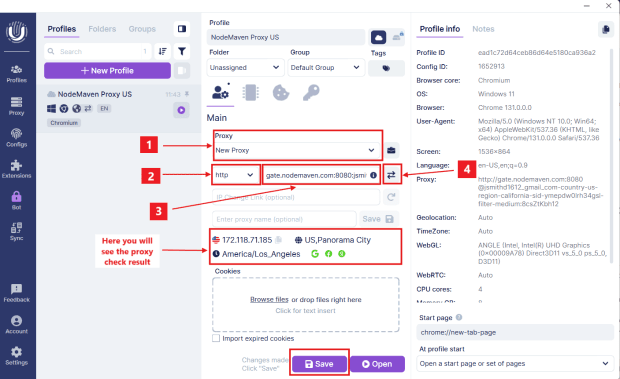
Add your LightningBytes proxy
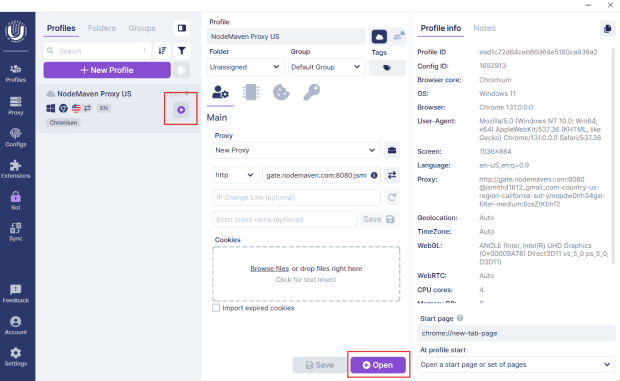
After creating the profile a new page will open where you will add your LightningBytes proxy details:
- 5
Start your Browser profile
Click either of the indicated buttons to start your Browser profile
- 6
Test your proxy connection
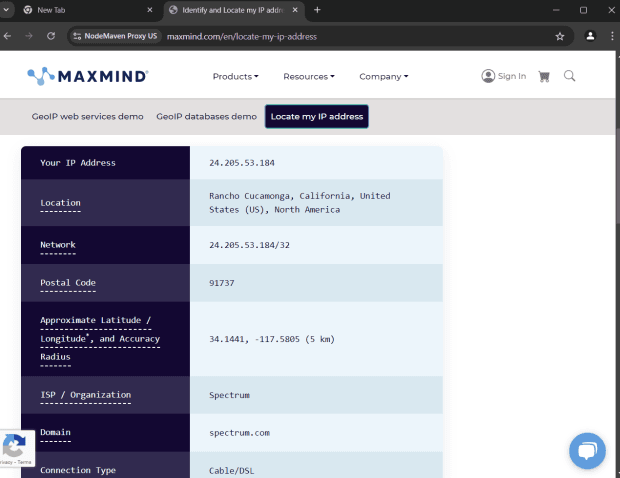
Test the profile with an IP lookup tool (Tools → IP lookup) to confirm it uses your LightningBytes proxy IP.
Connect Undetectable to clean, filtered IPs
Residential IPs for scraping e-commerce data at scale, mobile carrier IPs for the hardest targets, on pay-as-you-go or subscription plans with HTTP(S) and SOCKS5.